
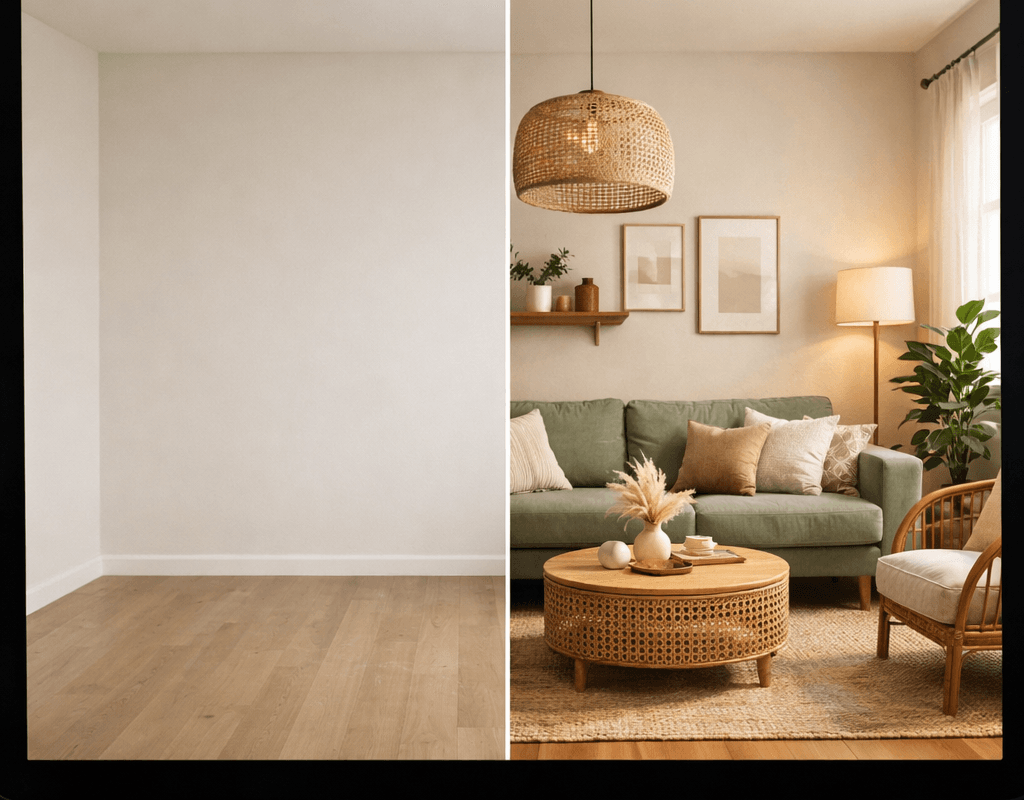
You don’t need to hire a designer or spend a single dollar to redesign your room. Here’s exactly how to use AI interior design tools — for free.
- You Don’t Need a Designer. You Need the Right App.
- How Do AI Interior Design Tools Actually Work?
- What to Look for in a Free AI Interior Design Tool
- 1. ReimagineHome — Best Overall Free Tool
- 2. RoomGPT — Best for Quick Inspiration
- 3. Spacely AI — Best for Multiple Room Types
- 4. MyArchitectAI — Best Free Monthly Allowance
- 5. PromeAI — Best for Creative Exploration
- 6. Homestyler — Best Free 3D Room Planner
- 7. ChatGPT or Claude — Best Free Design Advisor
- How to Redesign Your Room for Free — Step by Step
- Tips for Getting Better AI Interior Design Results
- What AI Interior Design Tools Can’t Do
- Frequently Asked Questions
- The Bottom Line
You Don’t Need a Designer. You Need the Right App.
Hiring an interior designer costs anywhere from $450 to $5,000+ per room. Most of us — especially renters, first-time apartment dwellers, and budget decorators — simply don’t have that kind of money to spend before we’ve even bought a single throw pillow.
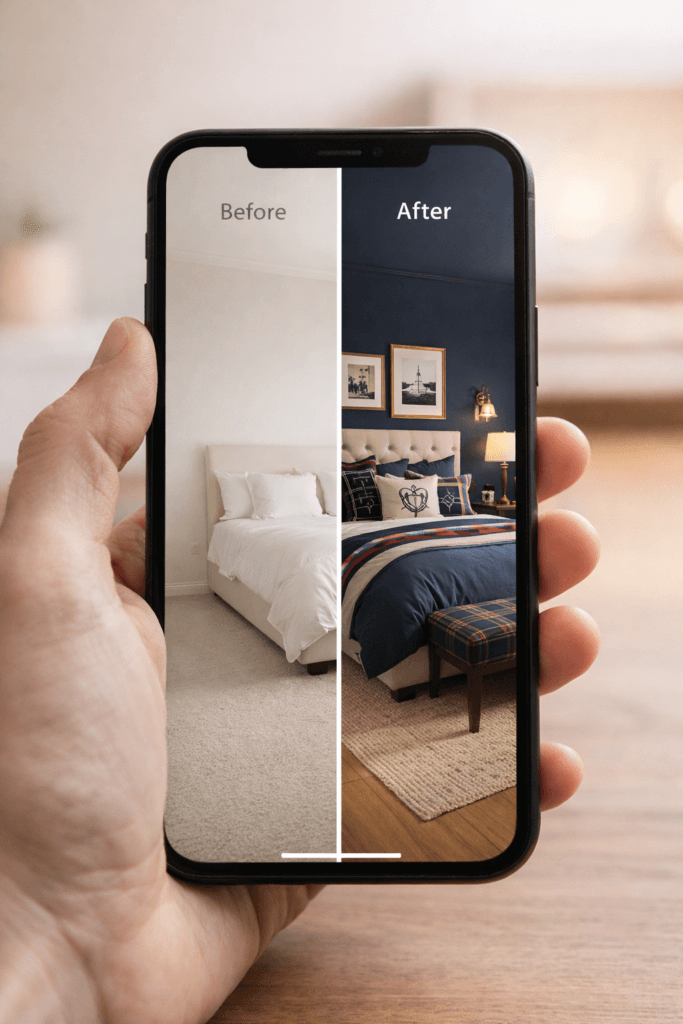
But here’s what changed in 2026: AI interior design tools have gotten genuinely, impressively good. We’re talking about apps that can take a photo of your actual room and show you exactly what it would look like redesigned in a completely different style — in under 60 seconds, for free.
Searches for “ai interior design free” are up over 120% in the past year. “AI decorating” is up 190%. People are figuring out that this technology actually works — and they want to know how to use it without paying a subscription fee.
That’s exactly what this post covers. I’ve researched and tested the best free AI interior design tools available in 2026, and I’m breaking down what each one does, how to use it, and — most importantly — what you can actually get for free before hitting a paywall.
I made a full step-by-step guide here → How I Made My Room Look Expensive for Under $100
How Do AI Interior Design Tools Actually Work?
- Photo-based redesign: You upload a photo of your current room, choose a style (Scandinavian, bohemian, preppy, maximalist, etc.), and the AI generates a realistic image of what your room would look like redesigned in that style. No 3D modeling required. No design skills needed.
- Text prompt generation: You describe your ideal room in words and the AI generates a completely new room design based on your description. More creative freedom, but less tied to your actual space.
The best free tools use the first method — because seeing your actual room transformed is infinitely more useful than a generic AI-generated image.
The quality varies a lot between tools. Some produce blurry, unrealistic results. The ones I’m recommending below have been specifically selected because their free tiers produce genuinely usable, realistic outputs.
What to Look for in a Free AI Interior Design Tool
Not all “free” tools are actually free. Here’s what to check before wasting your time:
⦁ No credit card required to try — the best tools let you generate at least one result before asking for payment
⦁ Realistic output — does it actually look like a real room, or like a video game?
⦁ Respects your room’s structure — does it keep your windows, doors and proportions, or does it completely reinvent the space?
⦁ Style variety — can you try multiple aesthetics or just one?
⦁ Download the result — can you save the image in the free tier, or is it blurred/watermarked?
7 Best Free AI Interior Design Tools in 2026
1. ReimagineHome — Best Overall Free Tool
[ Free tier: 5 full renders, no credit card needed ]
ReimagineHome is consistently rated the most realistic free AI interior design tool available right now. You upload a photo of your room, choose a style from a wide library (modern, Scandinavian, bohemian, industrial, farmhouse, and many more), and get a photorealistic render of your redesigned space in under a minute.
What sets it apart: it actually respects your room’s geometry. Your windows stay where they are. Your walls keep their proportions. The AI redesigns the styling and furniture without pretending your room is a different shape — which is critical if you’re trying to make real decisions about your space.
[ What You Get Free ]
⦁ 5 fully featured, high-resolution renders
⦁ No credit card required
⦁ Access to all design styles
⦁ Downloadable results
[ Best For ]
⦁ Anyone who wants to see their actual room redesigned realistically
⦁ Testing multiple styles before committing to a decor direction
Use all 5 free renders strategically. Upload the same room photo and try 5 completely different styles. Then pick the one you love most before considering a paid plan.
2. RoomGPT — Best for Quick Inspiration
[ Free tier: 1-2 free generations, no account needed ]
RoomGPT is the most popular AI room design tool on the internet with over 2 million users — and it’s popular for good reason. It’s the fastest and simplest option available. Upload a photo, pick a style, get a result in seconds.
The free tier is limited (just 1-2 generations), but it’s genuinely no-friction: no account required, no credit card, no setup. Just upload and go. For a quick first look at what AI room design can do, it’s the perfect starting point.
[ What You Get Free ]
⦁ 1-2 free room redesigns with no account
⦁ Styles include modern, minimalist, professional, tropical
⦁ Results in seconds
RoomGPT generates AI-imagined furniture — you can’t buy the exact pieces it creates. Use it for style inspiration, not furniture shopping.
3. Spacely AI — Best for Multiple Room Types
[ Free tier: 3 test images, no credit card ]
Spacely AI is a full interior design suite that covers virtual staging, interior renders, exterior renders, and more. The free tier gives you 3 test images — which is enough to test it on your actual room and see if the quality meets your needs before committing.
The interface is clean and beginner-friendly. You choose your room type, upload your photo, select a design style, and get your render. It’s particularly strong for living rooms and bedrooms.
[ What You Get Free ]
⦁ 3 full renders (interior and exterior)
⦁ Wide range of room types and styles
⦁ Fast results — under 60 seconds
4. MyArchitectAI — Best Free Monthly Allowance
[ Free tier: 10 renders per month, every month ]
This is the most generous free tier on this list. MyArchitectAI gives you 10 free renders every single month — not a one-time trial, but a recurring free allowance. For a casual decorator who wants to experiment with AI design regularly, this is genuinely excellent.
It works with room photos, hand-drawn sketches, and even SketchUp CAD models. The photorealistic output is impressive, and the free monthly allowance resets automatically — no tricks, no hidden limits.
[ What You Get Free ]
⦁ 10 renders per month, every month — the most generous free tier available
⦁ Works from photos, sketches, or 3D models
⦁ Edit results by describing changes in plain language
⦁ Lighting and texturing handled automatically
This is my top pick for anyone who wants to use AI interior design regularly without paying. 10 renders a month is enough to fully redesign multiple rooms over time.
5. PromeAI — Best for Creative Exploration
[ Free tier: Limited generations on free plan ]
PromeAI is one of the most feature-rich AI design tools available — used by interior designers, architects, and landscape designers. The free plan gives you a limited number of generations to explore the platform.
It has the largest range of features of any tool on this list, including sketch rendering, image enhancement, background removal, and style transfer. If you want to get creative and experimental with your room design, PromeAI gives you the most tools to play with.
[ What You Get Free ]
⦁ Free plan with limited generations
⦁ Huge range of design features and styles
⦁ Works for interiors, exteriors, and landscapes
PromeAI’s interface can feel overwhelming at first. Start with the “Interior Design” function specifically — don’t try to explore everything at once.
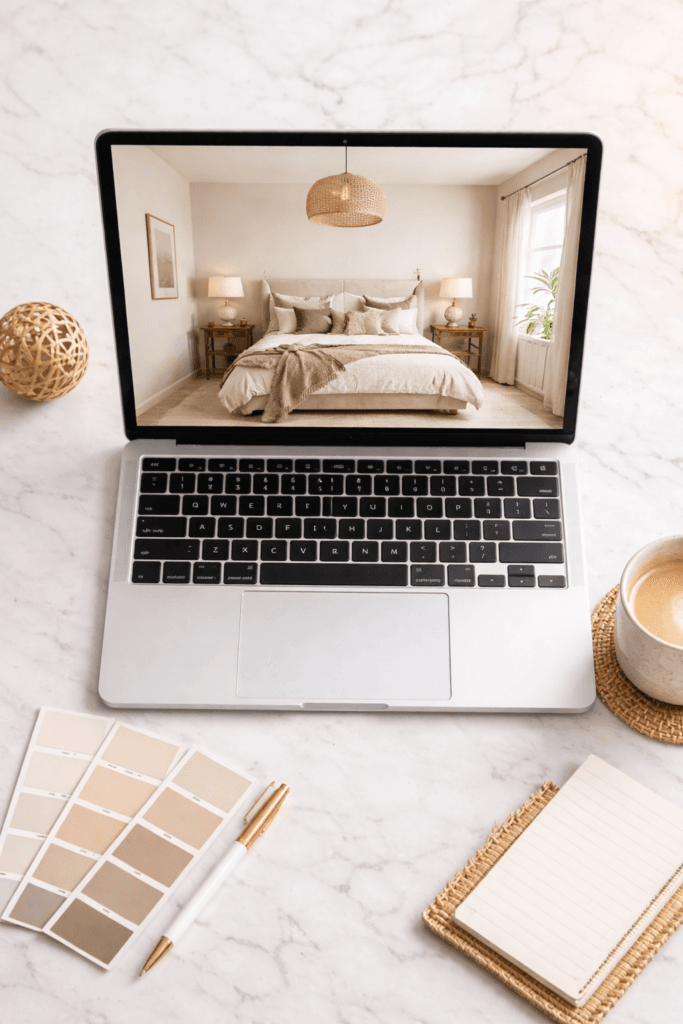
6. Homestyler — Best Free 3D Room Planner
[ Free tier: Fully free with account ]
Homestyler is different from the other tools on this list — it’s a full 3D room planner, not a photo-based AI redesign tool. You build your room from scratch (by entering your room dimensions), then furnish and decorate it in 3D.
It has a massive catalog of real furniture from actual brands, which means you can design your room and then actually buy the pieces you’ve placed in it. The entire platform is free to use with a free account.
[ What You Get Free ]
⦁ Full 3D room planning — completely free
⦁ Real furniture catalog from actual brands
⦁ Floor plan creation and visualization
⦁ Virtual walkthrough of your designed space
Homestyler takes more time to learn than the photo-based tools, but it’s the best option if you want to plan furniture placement in a new space before moving in.
7. ChatGPT or Claude — Best Free Design Advisor
[ Free tier: Free with account ]
This one is different — it’s not a visual tool, but it might be the most practically useful item on this list. AI assistants like ChatGPT and Claude are remarkably good at interior design advice.
Describe your room (size, current furniture, color, style), tell them your budget, and ask for specific recommendations. They can suggest color palettes, furniture arrangements, decor ideas, Amazon product recommendations, and even full room redesign plans — all for free, all in seconds.
[ What You Can Ask ]
⦁ “My bedroom is 12×10 feet, white walls, dark wood floors. I want a preppy aesthetic under $300. What should I buy?”
⦁ “What colors work well with my sage green couch?”
⦁ “How should I arrange my furniture if my room is L-shaped?”
⦁ “Give me a complete preppy bedroom shopping list from Amazon under $200”
Combine this with a visual tool. Use ChatGPT or Claude to plan your design direction and get product recommendations, then use ReimagineHome or MyArchitectAI to visualize it.
How to Redesign Your Room for Free — Step by Step
Here’s the exact process I’d recommend for getting the most out of free AI interior design tools:
- Take a good photo of your room. Use natural light, stand in the corner, and try to capture the whole room in one shot. The better your input photo, the better your AI result.
- Upload to ReimagineHome first. Use your 5 free renders to try 5 completely different styles. Don’t commit to one style before seeing the options.
- Screenshot your favorites. Save the rendered versions you love most — these become your design reference.
- Open ChatGPT or Claude. Describe your room and your budget. Ask for a specific shopping list of Amazon products that match the style you loved in your render.
- Use MyArchitectAI for ongoing experiments. Once you’ve decided on a direction, use your 10 free monthly renders to refine the look — testing specific colors, furniture arrangements, and decor combinations.
- Use Homestyler for furniture planning. If you’re moving into a new space or rearranging furniture, build your room in 3D to plan the layout before moving a single piece.
- Shop your plan. Use the Amazon links from your AI shopping list to buy the pieces that bring your design to life.
Tips for Getting Better AI Interior Design Results
⦁ Good lighting in your photo = better AI output. Natural daylight photos work best. Avoid night shots with harsh artificial light.
⦁ Declutter before you photograph. The AI works better with cleaner inputs. Remove clutter from your room before taking the photo.
⦁ Be specific with your style choice. “Modern” is vague. “Japandi minimalist with warm wood tones” gives the AI much more to work with.
⦁ Try the same photo in multiple styles. Before committing, test your room in at least 3-4 different aesthetics. You might be surprised which one you actually love.
⦁ Use renders as inspiration, not instructions. AI can’t always replicate exact products. Use the renders to understand color direction, furniture scale, and overall feel — then source real products that match.
⦁ Combine tools. No single tool does everything. ReimagineHome for realistic renders + MyArchitectAI for monthly experiments + ChatGPT for shopping lists = a complete free design workflow.
What AI Interior Design Tools Can’t Do
I want to be honest with you — these tools are genuinely impressive, but they have real limitations:
⦁ They can’t account for your budget. The AI doesn’t know if the furniture it’s generating costs $50 or $5,000. You’ll need to source budget-friendly versions of whatever it creates.
⦁ They can’t plan around building codes. Don’t use AI to plan structural changes, electrical work, or plumbing.
⦁ The furniture isn’t always buyable. Most photo-based tools generate AI-imagined furniture that doesn’t exist as a real product. You’ll need to find real-world equivalents.
⦁ Results vary by photo quality. A dark, cluttered, low-resolution photo will produce a poor render. Garbage in, garbage out.
⦁ Free tiers are limited. Once you use your free renders, most tools require payment. Use your free credits strategically — don’t waste them on tests.
Frequently Asked Questions
Is there a completely free AI interior design tool?
Yes. MyArchitectAI gives you 10 free renders per month indefinitely. Homestyler is completely free for 3D room planning. ReimagineHome and RoomGPT give you free trial renders without a credit card.
Which AI interior design tool is most realistic?
ReimagineHome consistently produces the most realistic photo-based renders in 2026. It respects your room’s actual geometry and lighting conditions better than most competitors.
Can I use AI to design my room if I’m a renter?
Absolutely — this is actually one of the best use cases. AI tools help renters visualize renter-friendly changes (furniture, decor, removable wallpaper) without committing to permanent alterations.
Do I need design experience to use these tools?
Not at all. Every tool on this list is designed for complete beginners. If you can upload a photo and click a button, you can use AI interior design tools.
Can AI interior design tools recommend products I can actually buy?
Most visual AI tools generate imaginary furniture. However, tools like Homestyler use real furniture catalogs. And AI assistants like ChatGPT or Claude can give you specific, buyable Amazon product recommendations when you describe what you need.
How is AI interior design trending in 2026?
Massively. Searches for AI interior design tools are up 170%, AI decorating is up 190%, and AI home design free is up 120% year-over-year. This is one of the fastest-growing topics in the home decor space right now.
The Bottom Line
You don’t need to spend hundreds of dollars on a designer to get a beautifully designed room. In 2026, you have access to genuinely powerful AI tools — for free — that can show you exactly what your room could look like, help you plan your layout, and guide your shopping decisions.
Start with ReimagineHome for your first realistic renders. Add MyArchitectAI for ongoing monthly experiments. Use ChatGPT or Claude to plan your budget and get a specific Amazon shopping list. And use Homestyler if you’re planning furniture in a new space.
The best room you’ve ever had is one good photo and a few free clicks away.
ReimagineHome → reimaginehome.ai
RoomGPT → roomgpt.io
MyArchitectAI → myarchitectai.com
Homestyler → homestyler.com
PromeAI → promeai.pro
→ Link “rental apartment” to your Rental Apartment Decor post
→ Link “living room” to your Living Room Ideas 2026 post
→ Link “interior design trends” to your Interior Design Trends 2026 post
[…] Also check out – How to Use AI Interior Design Tools for Free […]